2026年9月12日測定 · 全ケース公開
- 完全一致
- 8/24
- 期待値を含む回答
- 21/24
- 画像→回答の中央値
- 732.5 ms
小さな合成セットで形式と期待値を確認した結果で、一般的 OCR 精度ではありません。期待値以外の文章は誤ることがあります。
測定条件
Apple M5 Pro・48 GiB、ヘッドレス Chrome 152.0.7977.83、WebGPU。FastVLM-0.5B-ONNX、Transformers.js 3.7.2、画像/デコーダーq4・埋め込みfp16。別レシートで1回ウォームアップ後、各画像1回。入力800×600、モデル前処理前の長辺上限1024 px。greedy、最大192新規トークン、反復ペナルティ1.2。
画像処理前から生成終了までを計測し、準備・入力選択・保存は除外。最初のテキストは非空テキストまでで厳密なTTFTではありません。1回の計測は端末間の安定性能を示しません。
6テンプレート各4枚のオリジナル合成画像。写真・スキャン・手書き・実ユーザー文書は含みません。主に1項目を質問し、全文転記は評価していません。推論前に固定した小さな診断セットで、一般ランキング用ではありません。
種類別の結果
| 種類 | 完全一致 | 期待値を含む回答 | 画像→回答の中央値 |
|---|---|---|---|
| レシート | 4/4 | 4/4 | 719.0 ms |
| グラフ | 0/4 | 4/4 | 697.5 ms |
| 画面 | 0/4 | 4/4 | 1884.5 ms |
| 小さい英語文字 | 0/4 | 4/4 | 746.0 ms |
| 中国語 | 0/4 | 1/4 | 971.0 ms |
| 図形 | 4/4 | 4/4 | 699.5 ms |
完全一致は空白・先頭ドル記号1つ・末尾句読点1つを除き、英字の大小を無視。期待値の包含は英語/数値の完全トークン、中国語は部分文字列で確認。追加文章の真偽は採点しません。
この結果から分かること
- レシート合計4件と青い円の個数4件は指定形式と完全一致。
- グラフ名・画面状態・英語コードは回答に含まれましたが、短い回答指示に反して説明が付く場合がありました。
- 中国語の場所4件中3件は期待する場所がなく、残る1件も根拠のない説明を追加しました。人による確認が必要です。
自分の用途で試し、回答を確認してください。無人で信頼できる一般 OCR として扱う根拠にはなりません。
再現する
npm install --save-dev @playwright/test@1.55.1
# First start the FastVLM site locally; the script uses its English /demo.
PLAYWRIGHT_BASE_URL=http://127.0.0.1:4178 node scripts/evaluate-browser.mjs全ケースを確認
期待値を含んでも、周辺の文章が正しいとは限りません。完全一致は短い回答形式への適合も確認します。
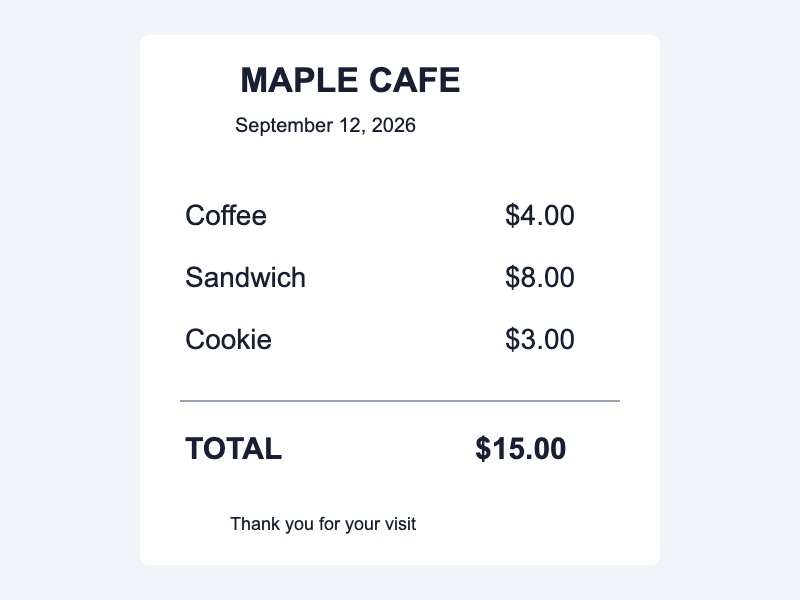
receipt-1
質問: What is the TOTAL amount? Return the amount only.
期待する回答: 15.00
実際の回答
$15.00
- 完全一致
- はい
- 期待値を含む
- はい
- 画像→回答
- 720 ms
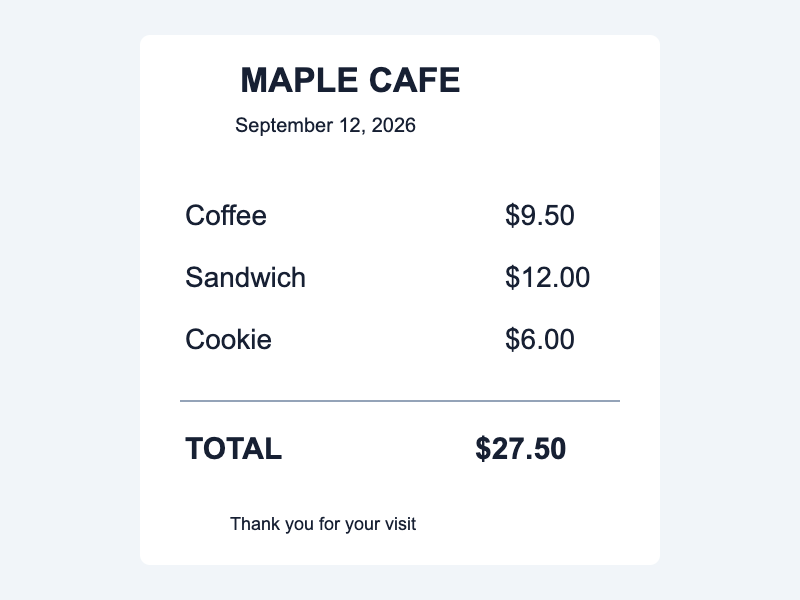
receipt-2
質問: What is the TOTAL amount? Return the amount only.
期待する回答: 27.50
実際の回答
$27.50
- 完全一致
- はい
- 期待値を含む
- はい
- 画像→回答
- 718 ms
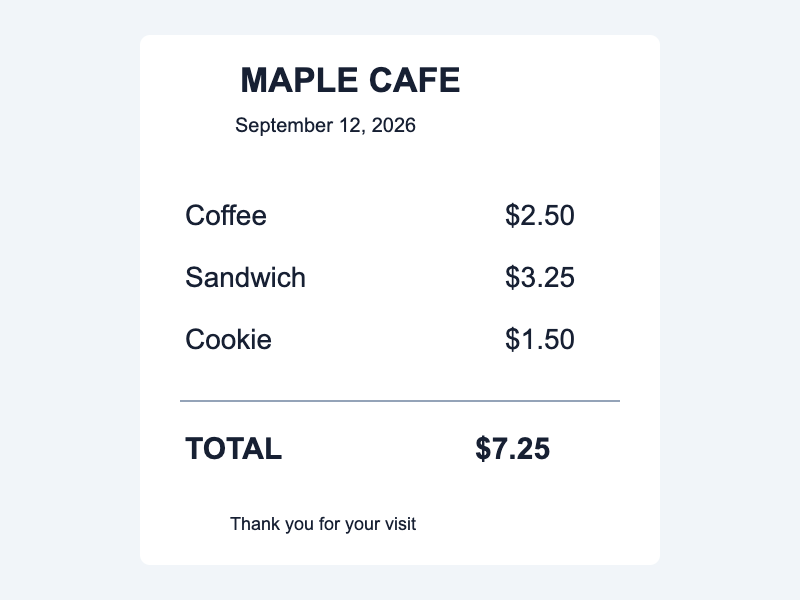
receipt-3
質問: What is the TOTAL amount? Return the amount only.
期待する回答: 7.25
実際の回答
$7.25
- 完全一致
- はい
- 期待値を含む
- はい
- 画像→回答
- 691 ms
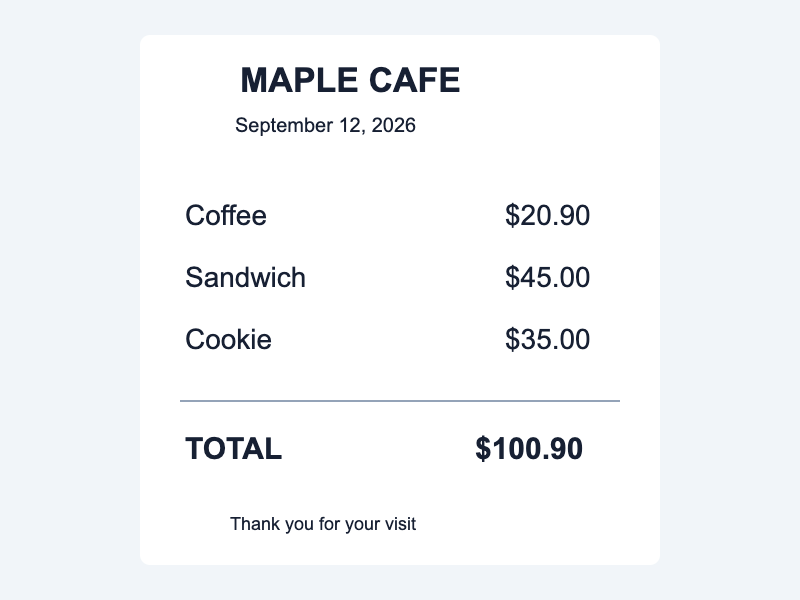
receipt-4
質問: What is the TOTAL amount? Return the amount only.
期待する回答: 100.90
実際の回答
$100.90
- 完全一致
- はい
- 期待値を含む
- はい
- 画像→回答
- 723 ms
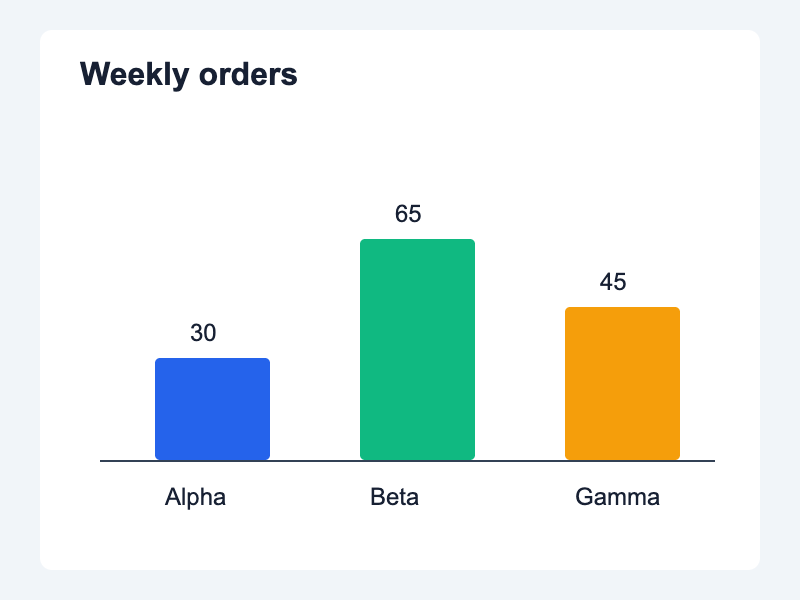
chart-1
質問: Which category has the highest number of orders? Answer with its name only.
期待する回答: Beta
実際の回答
Answer: Beta
- 完全一致
- いいえ
- 期待値を含む
- はい
- 画像→回答
- 694 ms
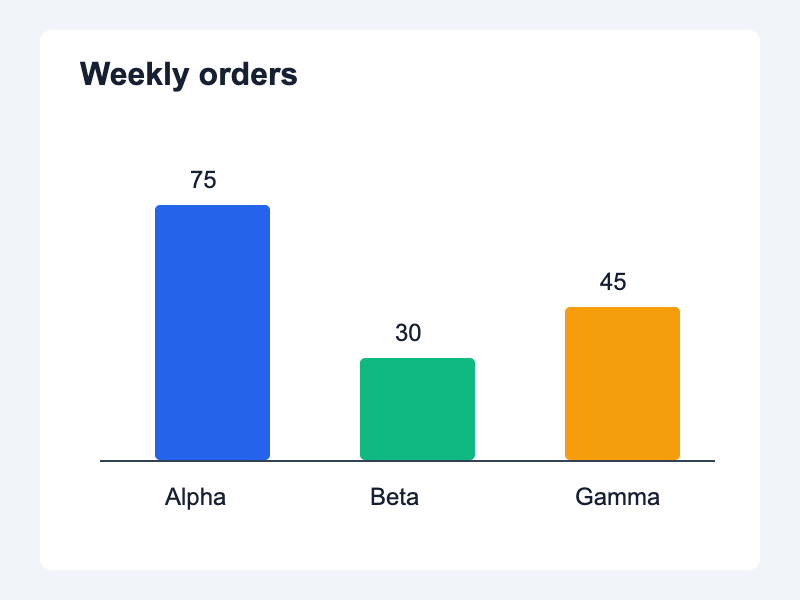
chart-2
質問: Which category has the highest number of orders? Answer with its name only.
期待する回答: Alpha
実際の回答
Answer: Alpha
- 完全一致
- いいえ
- 期待値を含む
- はい
- 画像→回答
- 701 ms
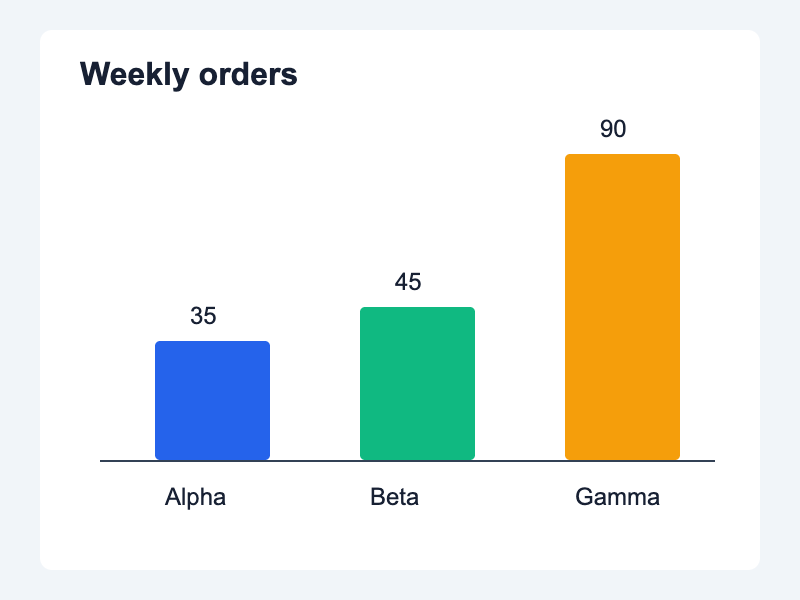
chart-3
質問: Which category has the highest number of orders? Answer with its name only.
期待する回答: Gamma
実際の回答
Answer: Gamma
- 完全一致
- いいえ
- 期待値を含む
- はい
- 画像→回答
- 685 ms
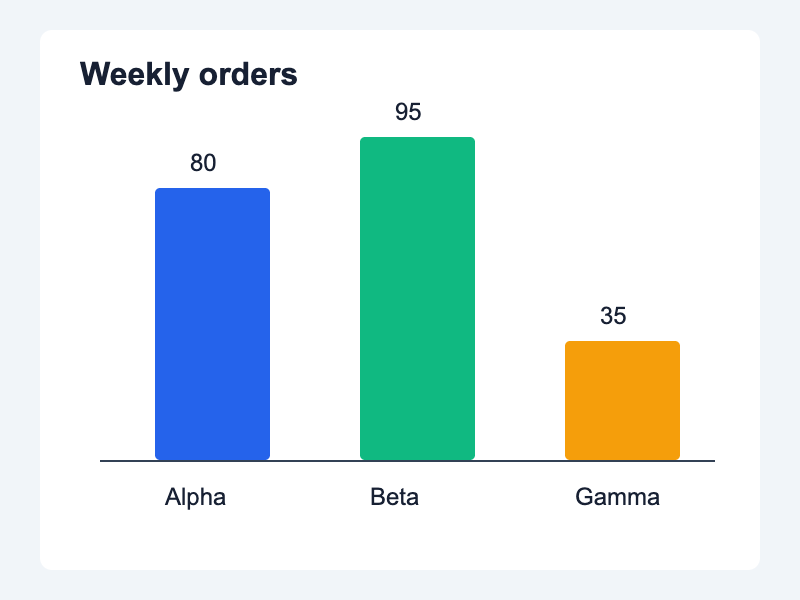
chart-4
質問: Which category has the highest number of orders? Answer with its name only.
期待する回答: Beta
実際の回答
Answer: Beta
- 完全一致
- いいえ
- 期待値を含む
- はい
- 画像→回答
- 717 ms
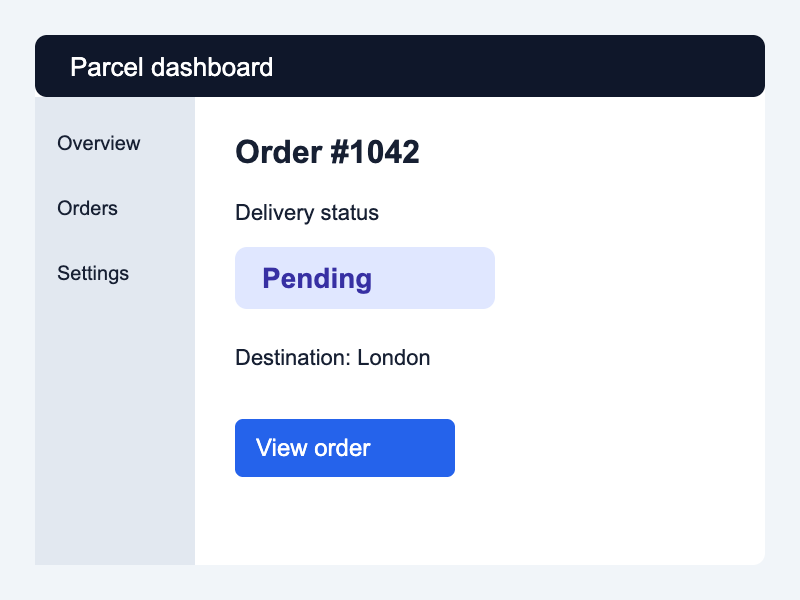
interface-1
質問: What is the delivery status of order #1042? Return the status only.
期待する回答: Pending
実際の回答
To determine the delivery status of Order #1042, we need to carefully examine the provided image. The image shows an interface with various elements such as buttons for "View" and "Order." Step 1: Identify the relevant information. - Locate the section labeled "Delivery status." - Observe that there is a button next to this label. Step 2: Read the text on the button. - The button clearly states "Pending." Therefore, based on the information in the image, the delivery status of Order #1042 is "Pending." This indicates that the order has not yet been delivered or processed by the system.
- 完全一致
- いいえ
- 期待値を含む
- はい
- 画像→回答
- 1563 ms
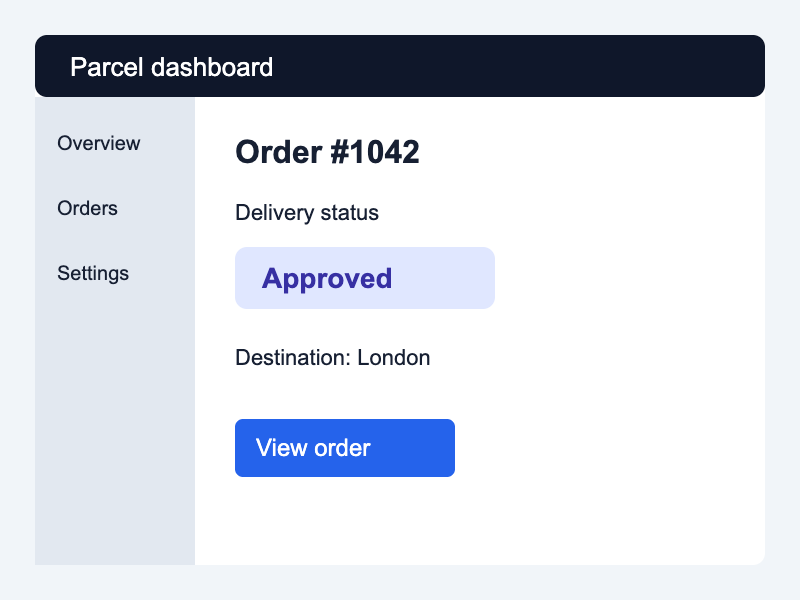
interface-2
質問: What is the delivery status of order #1042? Return the status only.
期待する回答: Approved
実際の回答
To determine the delivery status of order #1042, we need to carefully examine the provided image. The image shows an interface with various elements such as buttons, text fields, and links. Step 1: Identify the relevant information. - In this case, we are looking for the "Delivery status" of order #1042. Step 2: Locate the button labeled "Approved." - Upon examining the image, we see that there is a blue button labeled "Approved." Step 3: Confirm the delivery status based on the label. - Since the button labeled "Approved" indicates that the delivery status has been approved, we can conclude that the delivery status of order #1042 is indeed approved. Therefore, the delivery status of order #1042 is Approved.
- 完全一致
- いいえ
- 期待値を含む
- はい
- 画像→回答
- 1802 ms
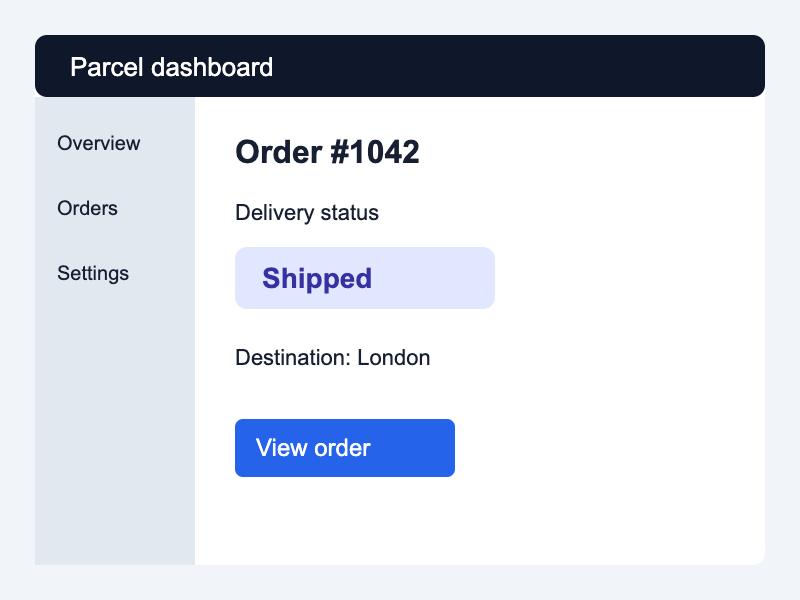
interface-3
質問: What is the delivery status of order #1042? Return the status only.
期待する回答: Shipped
実際の回答
To determine the delivery status of order #1042, we need to carefully examine the provided image. The image shows an interface with various elements such as buttons for "View" and "Order". Step 1: Identify the relevant information. - In this case, we focus on the button labeled "Shipped". Step 2: Understand the context. - The text above the "Shipped" button reads "Order #1042", indicating that this is the specific order being referred to. Step 3: Confirm the delivery status based on the given instruction. - According to the instructions in the simple answer, the delivery status should be specified by clicking or hovering over the "Shipped" button. Therefore, the delivery status of order #1042 can be determined by following these steps: 1. Locate the "Shipped" button in the image. 2. Read the accompanying text which states "Order #10
- 完全一致
- いいえ
- 期待値を含む
- はい
- 画像→回答
- 1967 ms
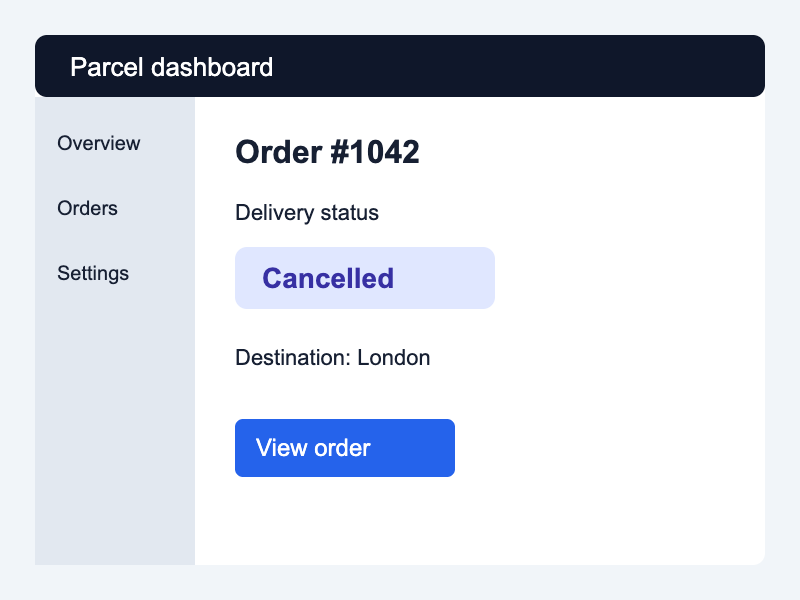
interface-4
質問: What is the delivery status of order #1042? Return the status only.
期待する回答: Cancelled
実際の回答
To determine the delivery status of Order #1042, we need to carefully examine the provided image. The image shows an interface with various elements such as buttons for "View" and "Order," along with text labels. Step-by-Step Solution: 1. **Identify the Relevant Information:** - Locate the section labeled "Delivery status." - Within this section, there is a button that reads "Cancelled." 2. **Analyze the Button's Text:** - The button has the label "Cancelled" which indicates the current status of the order. 3. **Conclusion:** - Based on the information provided in the image, the delivery status of Order #1042 is "Canceled." Therefore, the detailed answer is: The delivery status of Order #1042 is canceled. This conclusion can be drawn by examining the relevant section of the interface where the "Order Status" option is highlighted,
- 完全一致
- いいえ
- 期待値を含む
- はい
- 画像→回答
- 2059 ms
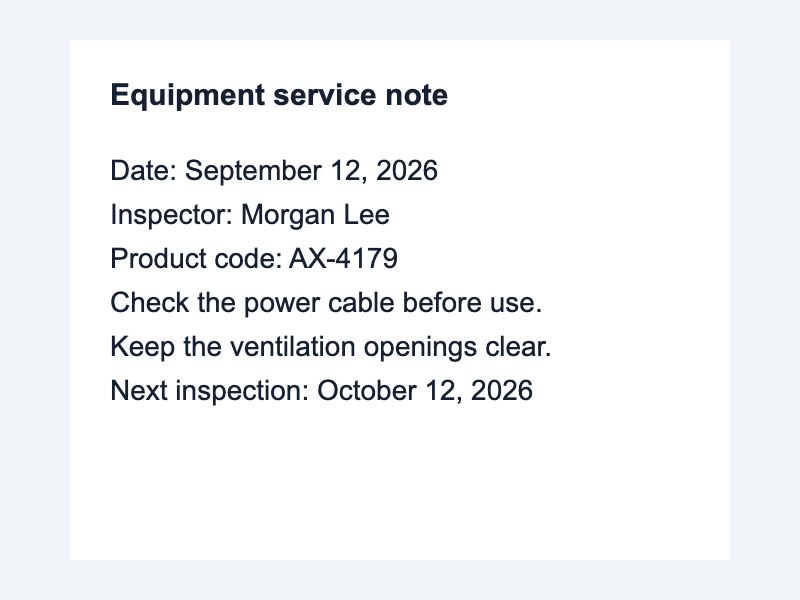
small-text-1
質問: What is the product code? Return the code only.
期待する回答: AX-4179
実際の回答
The product code is AX-4179.
- 完全一致
- いいえ
- 期待値を含む
- はい
- 画像→回答
- 783 ms
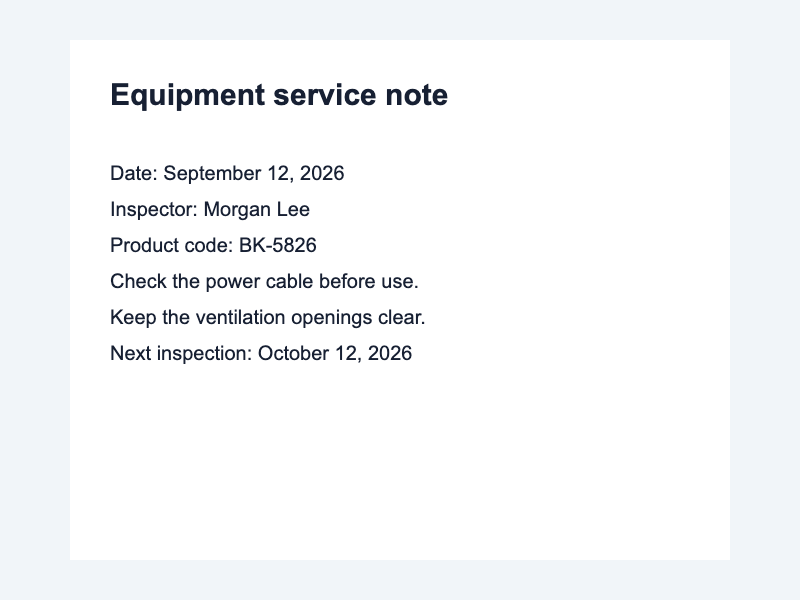
small-text-2
質問: What is the product code? Return the code only.
期待する回答: BK-5826
実際の回答
The product code is BK-5826.
- 完全一致
- いいえ
- 期待値を含む
- はい
- 画像→回答
- 744 ms
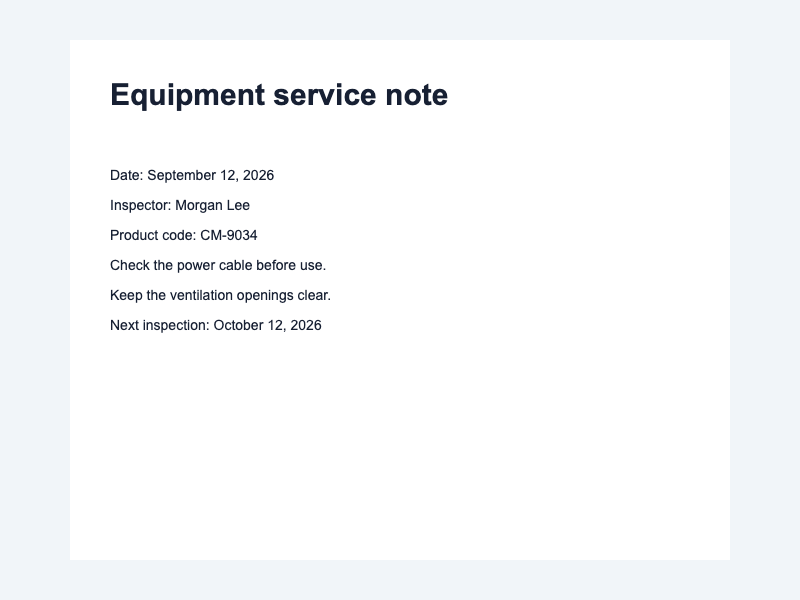
small-text-3
質問: What is the product code? Return the code only.
期待する回答: CM-9034
実際の回答
The product code is CM-9034.
- 完全一致
- いいえ
- 期待値を含む
- はい
- 画像→回答
- 748 ms
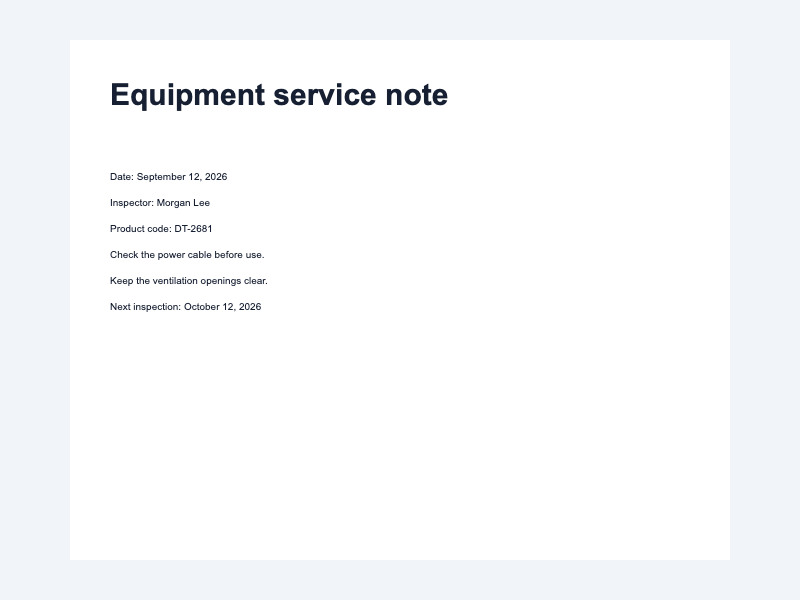
small-text-4
質問: What is the product code? Return the code only.
期待する回答: DT-2681
実際の回答
The product code is DT-2681.
- 完全一致
- いいえ
- 期待値を含む
- はい
- 画像→回答
- 742 ms
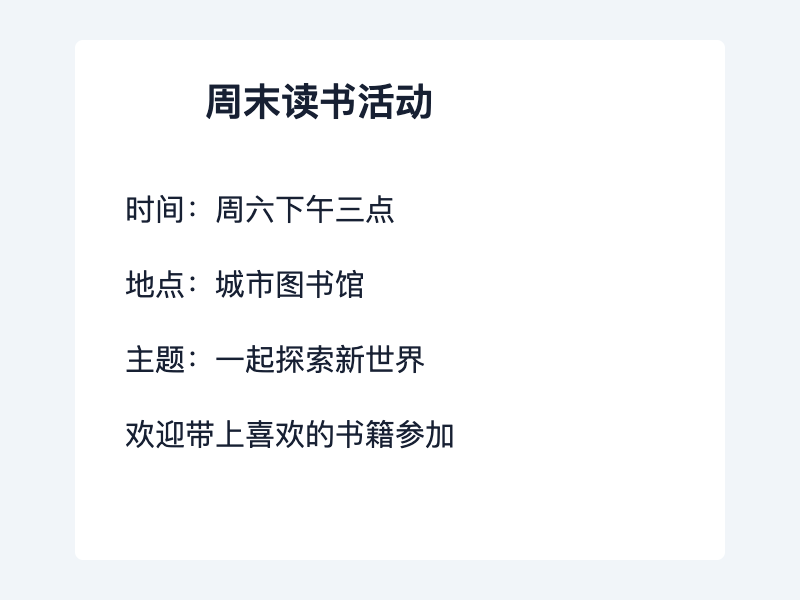
chinese-1
質問: 活动地点在哪里?只回答地点名称。
期待する回答: 城市图书馆
実際の回答
根据提供的文本,该活动的地点是“中国北京”。“中国北京”的位置位于中国首都北京,具体来说是在东城区,与周边地区相对应。这可以从所提供的地理信息中推断出来,因为提到的是“一座城市和一个国家”。
- 完全一致
- いいえ
- 期待値を含む
- いいえ
- 画像→回答
- 1056 ms
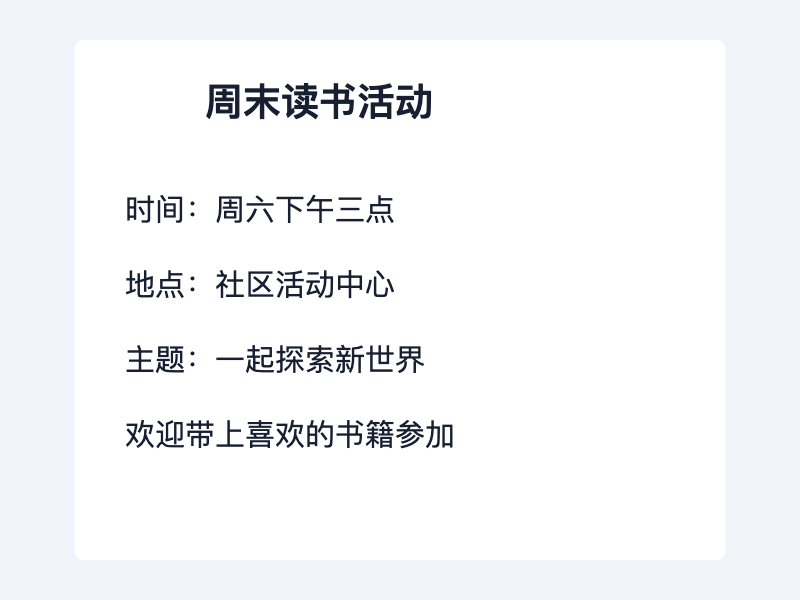
chinese-2
質問: 活动地点在哪里?只回答地点名称。
期待する回答: 社区活动中心
実際の回答
根据图片中提供的信息,该活动的地点是“中国云南”(China Yunnan). 这些文本表明了地理位置和文化背景,但没有提供具体位置或详细说明。
- 完全一致
- いいえ
- 期待値を含む
- いいえ
- 画像→回答
- 980 ms
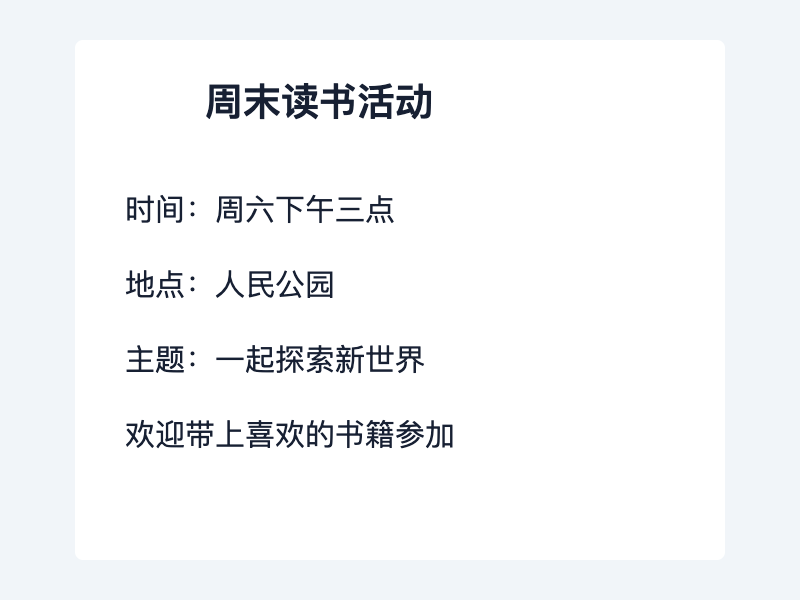
chinese-3
質問: 活动地点在哪里?只回答地点名称。
期待する回答: 人民公园
実際の回答
根据图片中提供的信息,该活动的地点是“人民公园”。这可以通过文本中的第二行所示,“市民公园”被翻译为“人民公园”,表明它是一个公共区域或公园。
- 完全一致
- いいえ
- 期待値を含む
- はい
- 画像→回答
- 962 ms
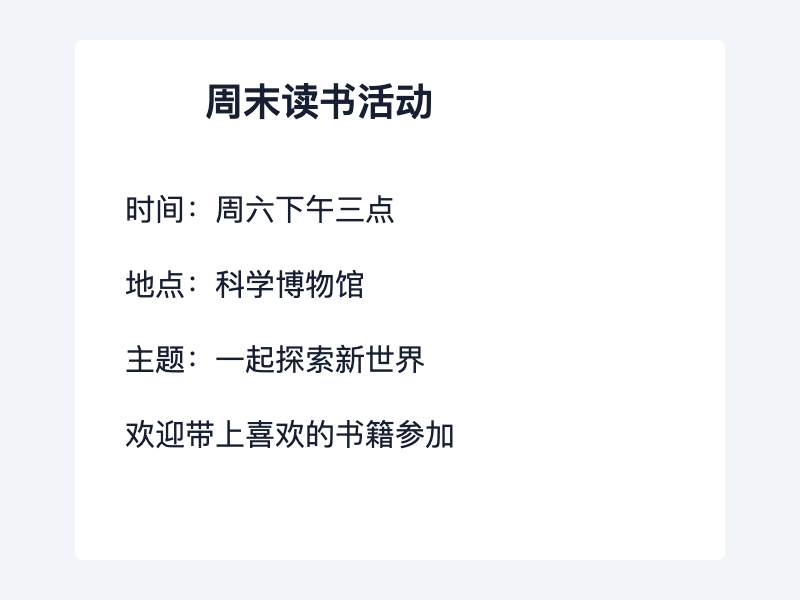
chinese-4
質問: 活动地点在哪里?只回答地点名称。
期待する回答: 科学博物馆
実際の回答
根据提供的文本,该活动的地点是“中国云南三元街”。这表明该活动发生在三元街,这是中国云南的一条主要街道和文化街区之一。
- 完全一致
- いいえ
- 期待値を含む
- いいえ
- 画像→回答
- 948 ms
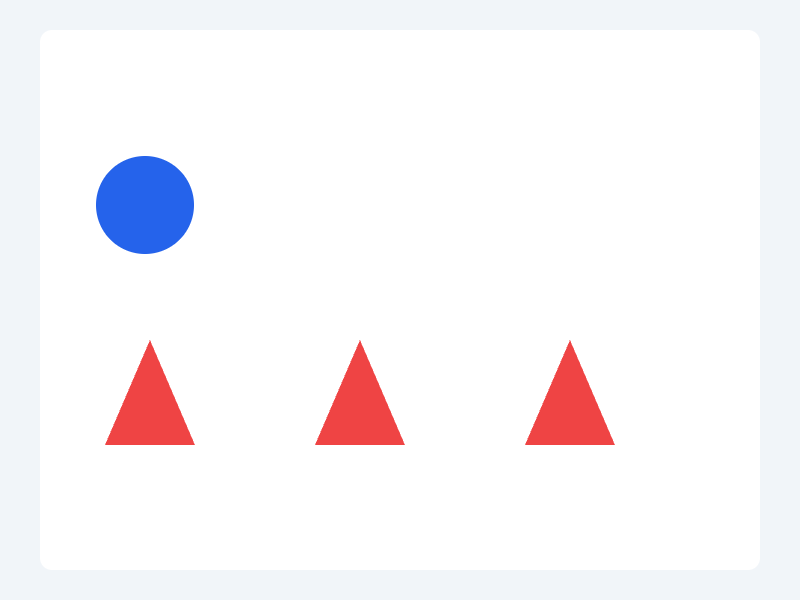
shapes-1
質問: How many blue circles are in the image? Return one digit only.
期待する回答: 1
実際の回答
1
- 完全一致
- はい
- 期待値を含む
- はい
- 画像→回答
- 708 ms
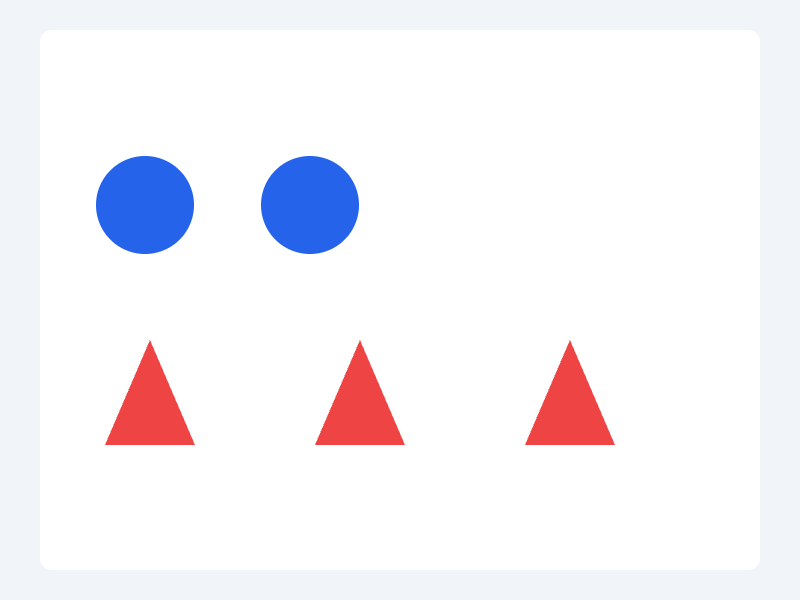
shapes-2
質問: How many blue circles are in the image? Return one digit only.
期待する回答: 2
実際の回答
2
- 完全一致
- はい
- 期待値を含む
- はい
- 画像→回答
- 678 ms

shapes-3
質問: How many blue circles are in the image? Return one digit only.
期待する回答: 3
実際の回答
3
- 完全一致
- はい
- 期待値を含む
- はい
- 画像→回答
- 696 ms

shapes-4
質問: How many blue circles are in the image? Return one digit only.
期待する回答: 4
実際の回答
4
- 完全一致
- はい
- 期待値を含む
- はい
- 画像→回答
- 703 ms