Measured September 12, 2026 · all cases published
- Exact answer matches
- 8/24
- Answers containing the target
- 21/24
- Median image → answer
- 732.5 ms
These are answer-format and target-inclusion checks on a small synthetic set, not general OCR accuracy. A target can appear alongside incorrect claims.
What we measured
Apple M5 Pro host, 48 GiB unified memory, headless Chrome 152.0.7977.83 and WebGPU. Model: onnx-community/FastVLM-0.5B-ONNX; Transformers.js 3.7.2; q4 vision/decoder and fp16 embeddings. One receipt warmup, then one run per fixture. Inputs are 800×600; the app limits the longest side to 1024 px before the model processor. Greedy generation, maximum 192 new tokens, repetition penalty 1.2.
Timing begins before image processing and ends after generation. It excludes model preparation, input selection and JSON export. First-text time in the raw JSON ends at the first non-empty text chunk, not a strict first-token event. These single-run timings do not establish stable performance across devices.
The set contains 24 original synthetic images, six templates with four variants each. It includes no photographs, scans, handwriting or real user documents. Most questions ask for one field or category, not complete transcription. Fonts, layouts and labels were fixed before inference; the set is too small and narrow for a general model ranking.
Results by task family
| Family | Exact answer matches | Answers containing the target | Median image → answer |
|---|---|---|---|
| Receipts | 4/4 | 4/4 | 719.0 ms |
| Charts | 0/4 | 4/4 | 697.5 ms |
| Interfaces | 0/4 | 4/4 | 1884.5 ms |
| Small English text | 0/4 | 4/4 | 746.0 ms |
| Chinese text | 0/4 | 1/4 | 971.0 ms |
| Shapes | 4/4 | 4/4 | 699.5 ms |
Exact match trims whitespace, one leading dollar sign and one final punctuation mark, then compares case-insensitively. Target inclusion uses a complete token for English/numbers and a substring for Chinese. Neither check evaluates the truth of additional prose.
What these cases suggest
- The four receipt totals and four blue-circle counts matched the requested answer exactly.
- Chart names, interface statuses and English product codes appeared in answers, but the model often added prose despite a request for a short answer. Downstream parsers should not assume compliant formatting.
- Three of four Chinese location answers did not contain the location shown. The remaining answer included the expected place but also made unsupported claims. This configuration needs human checking for Chinese extraction.
Use this playground to test your own tasks and review its output. The evidence here supports a guided image-question experience; it does not justify presenting the model as a fully reliable, unattended OCR tool.
Run it yourself
npm install --save-dev @playwright/test@1.55.1
# First start the FastVLM site locally; the script uses its English /demo.
PLAYWRIGHT_BASE_URL=http://127.0.0.1:4178 node scripts/evaluate-browser.mjsInspect every case
Includes expected answer checks only whether the target appears. The rest of an answer can still contain invented claims. Exact match additionally tests the requested answer format.
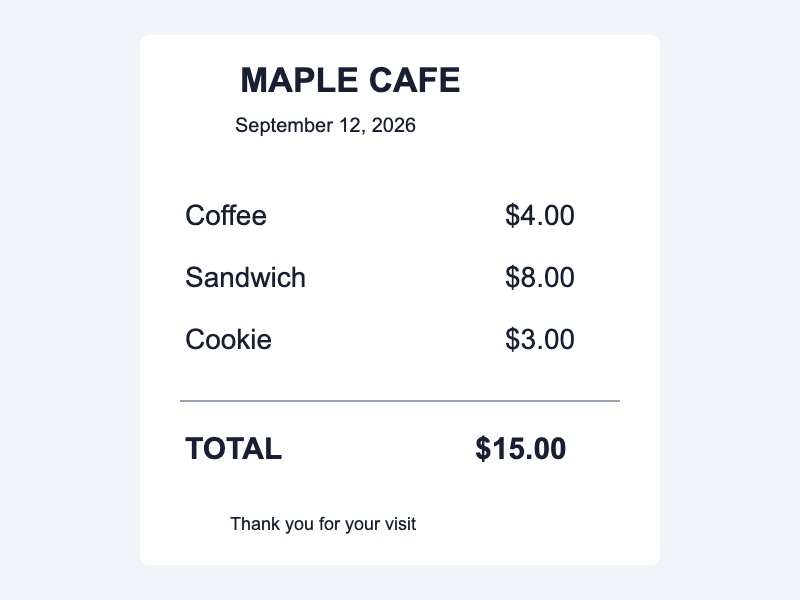
receipt-1
Question: What is the TOTAL amount? Return the amount only.
Expected answer: 15.00
Actual answer
$15.00
- Exact match
- Yes
- Includes expected answer
- Yes
- Image → answer
- 720 ms
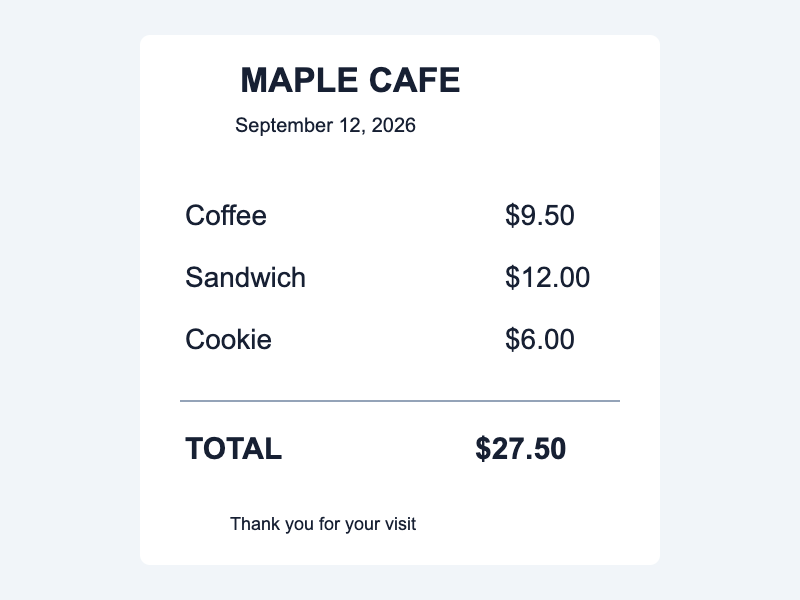
receipt-2
Question: What is the TOTAL amount? Return the amount only.
Expected answer: 27.50
Actual answer
$27.50
- Exact match
- Yes
- Includes expected answer
- Yes
- Image → answer
- 718 ms
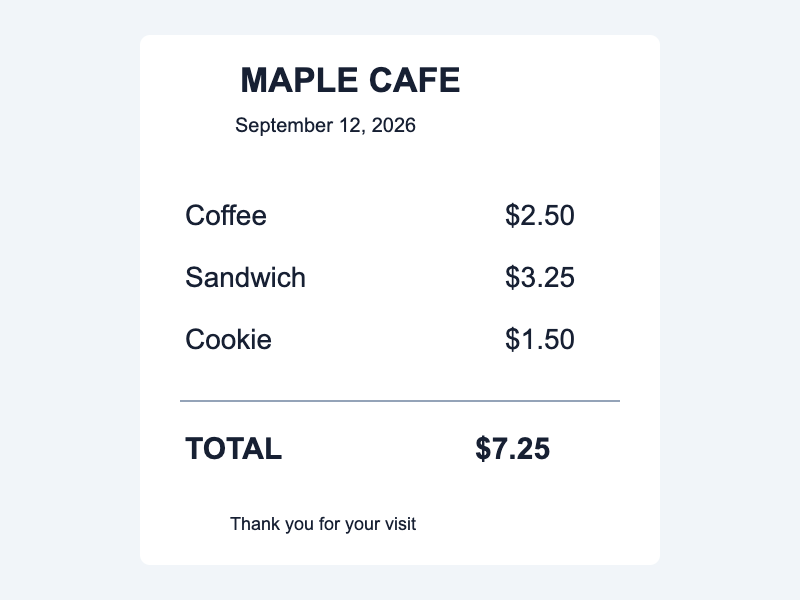
receipt-3
Question: What is the TOTAL amount? Return the amount only.
Expected answer: 7.25
Actual answer
$7.25
- Exact match
- Yes
- Includes expected answer
- Yes
- Image → answer
- 691 ms
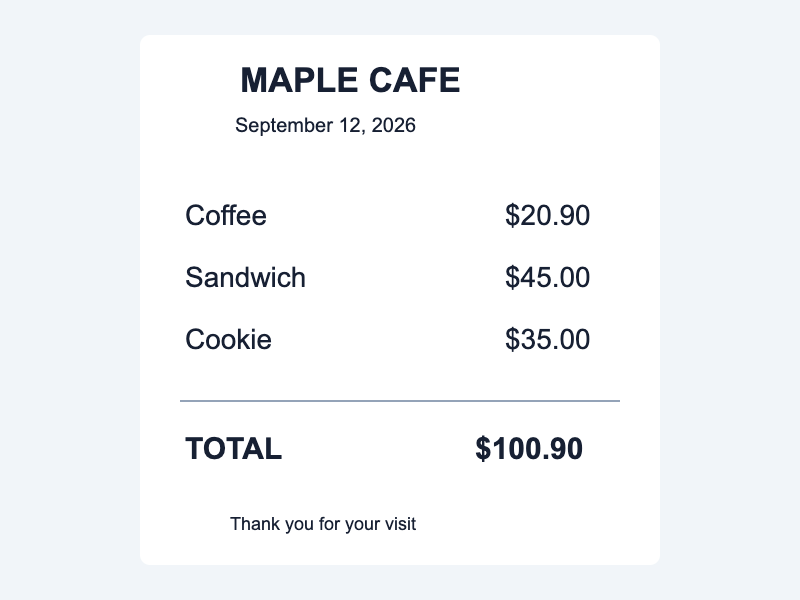
receipt-4
Question: What is the TOTAL amount? Return the amount only.
Expected answer: 100.90
Actual answer
$100.90
- Exact match
- Yes
- Includes expected answer
- Yes
- Image → answer
- 723 ms
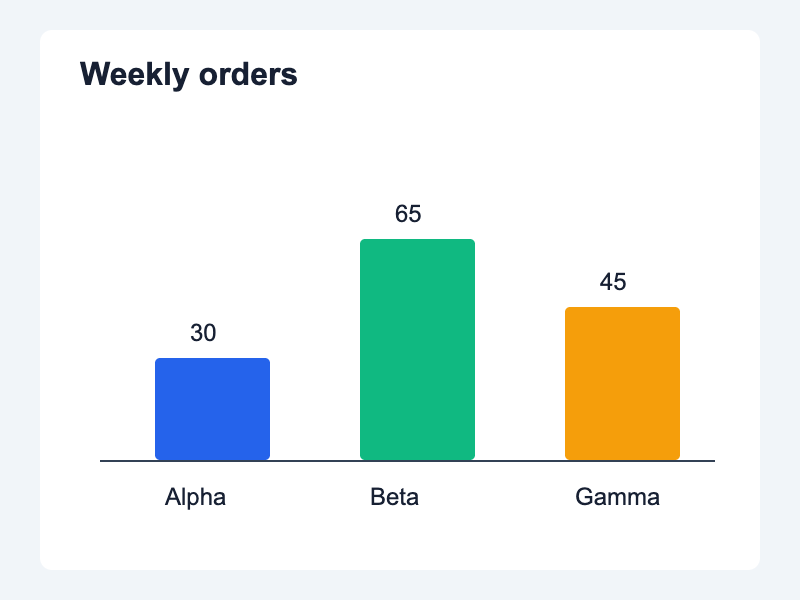
chart-1
Question: Which category has the highest number of orders? Answer with its name only.
Expected answer: Beta
Actual answer
Answer: Beta
- Exact match
- No
- Includes expected answer
- Yes
- Image → answer
- 694 ms
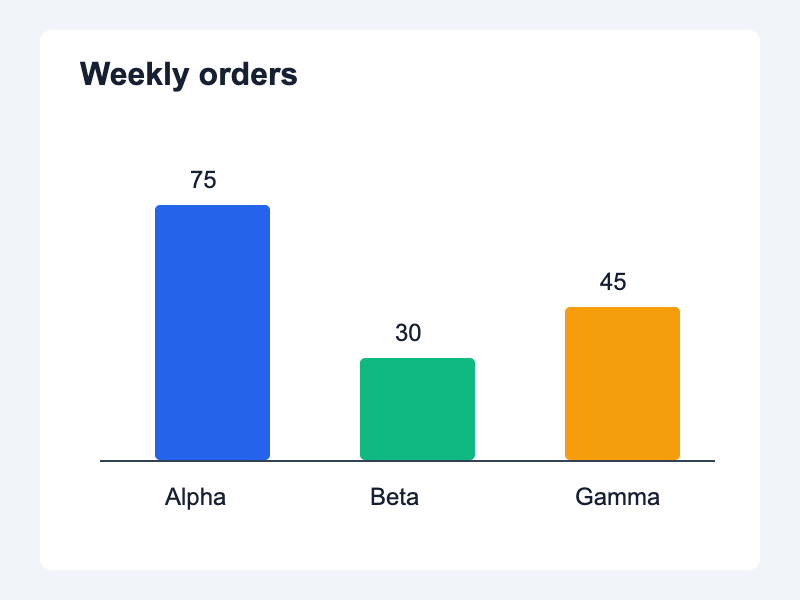
chart-2
Question: Which category has the highest number of orders? Answer with its name only.
Expected answer: Alpha
Actual answer
Answer: Alpha
- Exact match
- No
- Includes expected answer
- Yes
- Image → answer
- 701 ms
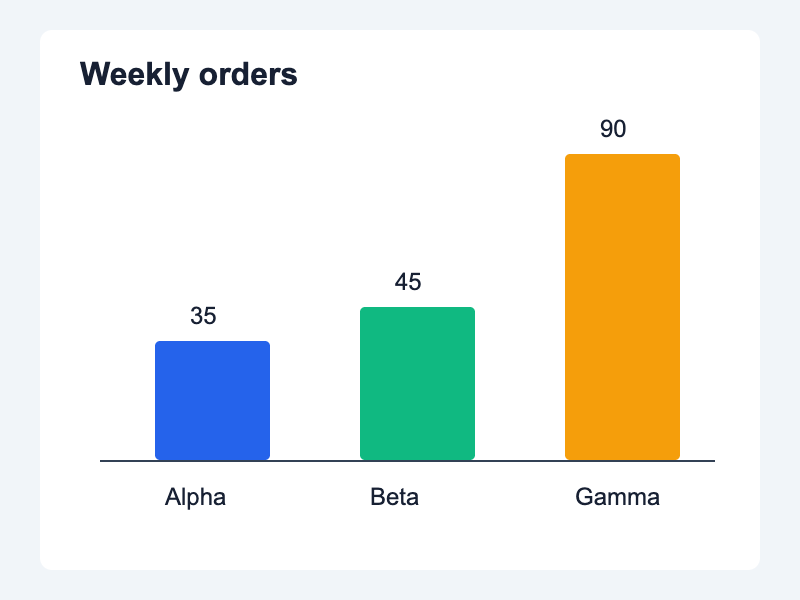
chart-3
Question: Which category has the highest number of orders? Answer with its name only.
Expected answer: Gamma
Actual answer
Answer: Gamma
- Exact match
- No
- Includes expected answer
- Yes
- Image → answer
- 685 ms
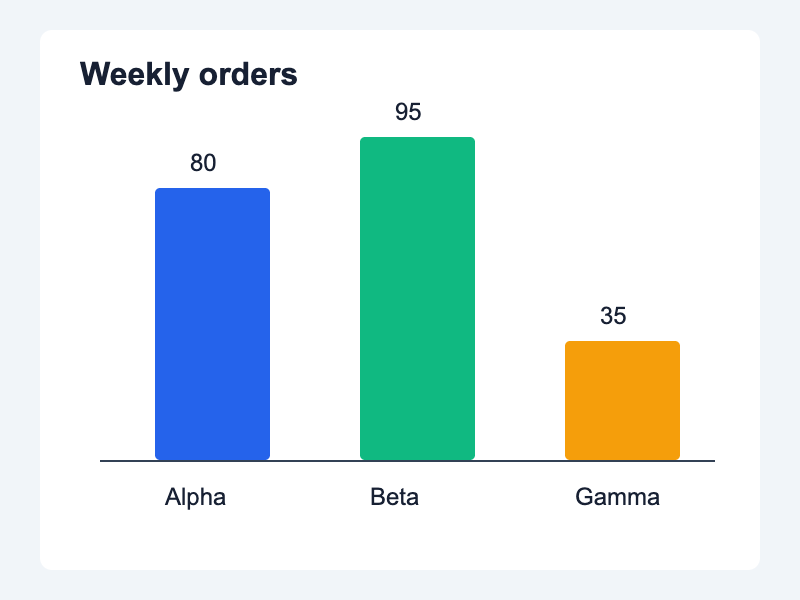
chart-4
Question: Which category has the highest number of orders? Answer with its name only.
Expected answer: Beta
Actual answer
Answer: Beta
- Exact match
- No
- Includes expected answer
- Yes
- Image → answer
- 717 ms
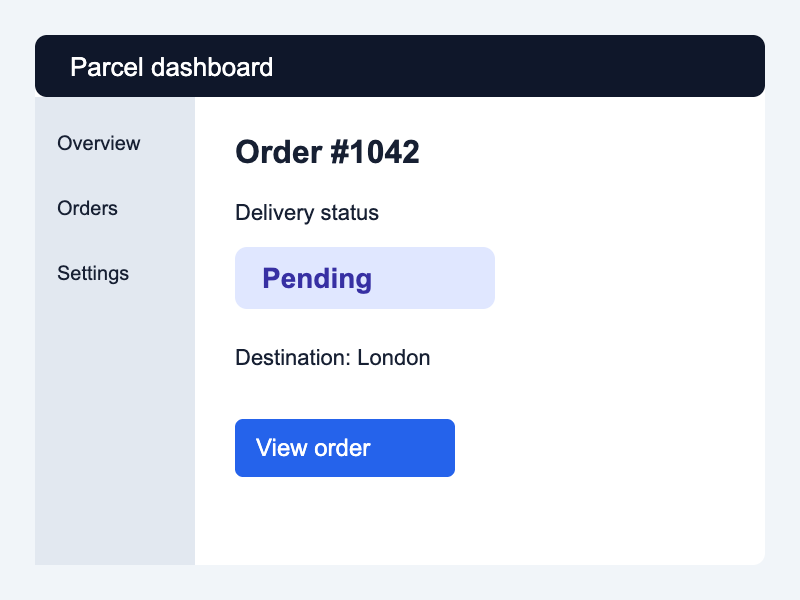
interface-1
Question: What is the delivery status of order #1042? Return the status only.
Expected answer: Pending
Actual answer
To determine the delivery status of Order #1042, we need to carefully examine the provided image. The image shows an interface with various elements such as buttons for "View" and "Order." Step 1: Identify the relevant information. - Locate the section labeled "Delivery status." - Observe that there is a button next to this label. Step 2: Read the text on the button. - The button clearly states "Pending." Therefore, based on the information in the image, the delivery status of Order #1042 is "Pending." This indicates that the order has not yet been delivered or processed by the system.
- Exact match
- No
- Includes expected answer
- Yes
- Image → answer
- 1563 ms
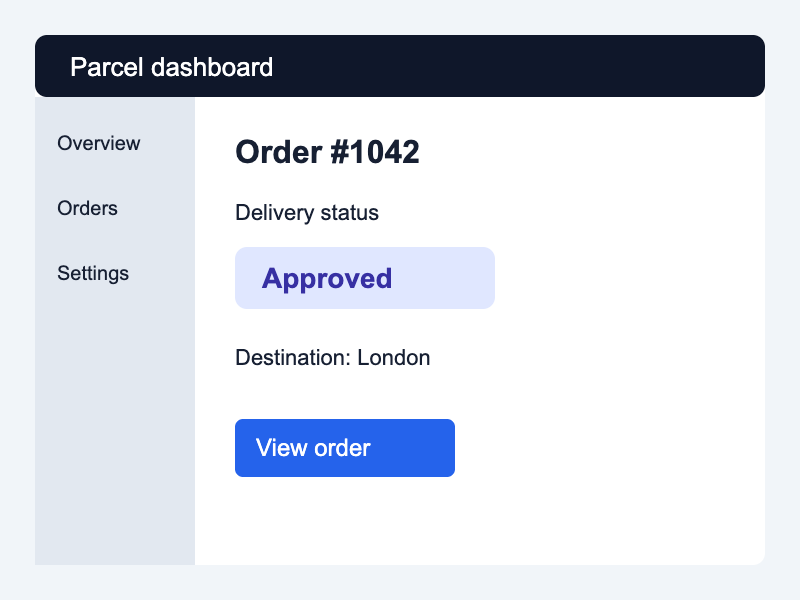
interface-2
Question: What is the delivery status of order #1042? Return the status only.
Expected answer: Approved
Actual answer
To determine the delivery status of order #1042, we need to carefully examine the provided image. The image shows an interface with various elements such as buttons, text fields, and links. Step 1: Identify the relevant information. - In this case, we are looking for the "Delivery status" of order #1042. Step 2: Locate the button labeled "Approved." - Upon examining the image, we see that there is a blue button labeled "Approved." Step 3: Confirm the delivery status based on the label. - Since the button labeled "Approved" indicates that the delivery status has been approved, we can conclude that the delivery status of order #1042 is indeed approved. Therefore, the delivery status of order #1042 is Approved.
- Exact match
- No
- Includes expected answer
- Yes
- Image → answer
- 1802 ms
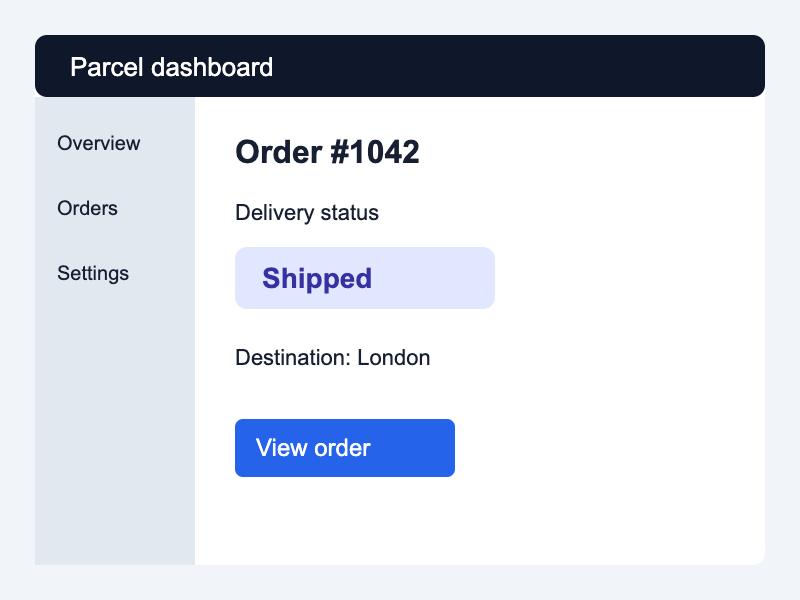
interface-3
Question: What is the delivery status of order #1042? Return the status only.
Expected answer: Shipped
Actual answer
To determine the delivery status of order #1042, we need to carefully examine the provided image. The image shows an interface with various elements such as buttons for "View" and "Order". Step 1: Identify the relevant information. - In this case, we focus on the button labeled "Shipped". Step 2: Understand the context. - The text above the "Shipped" button reads "Order #1042", indicating that this is the specific order being referred to. Step 3: Confirm the delivery status based on the given instruction. - According to the instructions in the simple answer, the delivery status should be specified by clicking or hovering over the "Shipped" button. Therefore, the delivery status of order #1042 can be determined by following these steps: 1. Locate the "Shipped" button in the image. 2. Read the accompanying text which states "Order #10
- Exact match
- No
- Includes expected answer
- Yes
- Image → answer
- 1967 ms
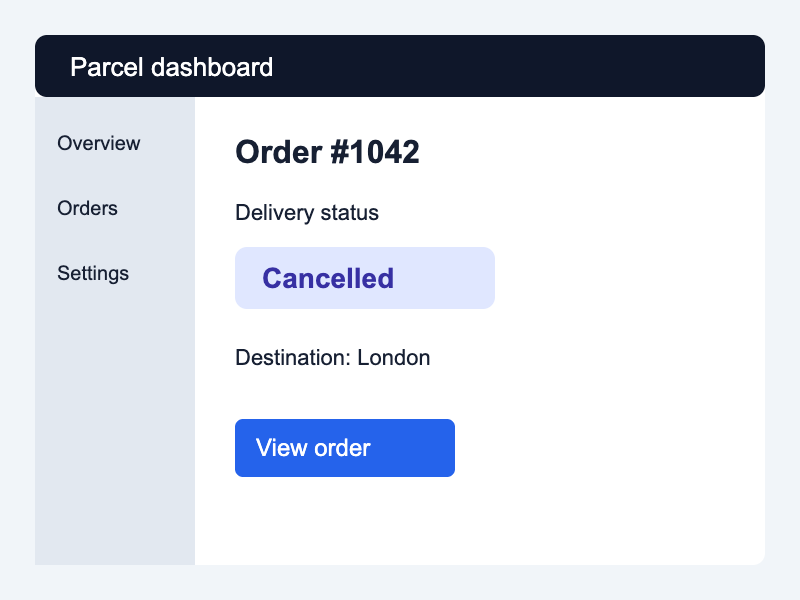
interface-4
Question: What is the delivery status of order #1042? Return the status only.
Expected answer: Cancelled
Actual answer
To determine the delivery status of Order #1042, we need to carefully examine the provided image. The image shows an interface with various elements such as buttons for "View" and "Order," along with text labels. Step-by-Step Solution: 1. **Identify the Relevant Information:** - Locate the section labeled "Delivery status." - Within this section, there is a button that reads "Cancelled." 2. **Analyze the Button's Text:** - The button has the label "Cancelled" which indicates the current status of the order. 3. **Conclusion:** - Based on the information provided in the image, the delivery status of Order #1042 is "Canceled." Therefore, the detailed answer is: The delivery status of Order #1042 is canceled. This conclusion can be drawn by examining the relevant section of the interface where the "Order Status" option is highlighted,
- Exact match
- No
- Includes expected answer
- Yes
- Image → answer
- 2059 ms
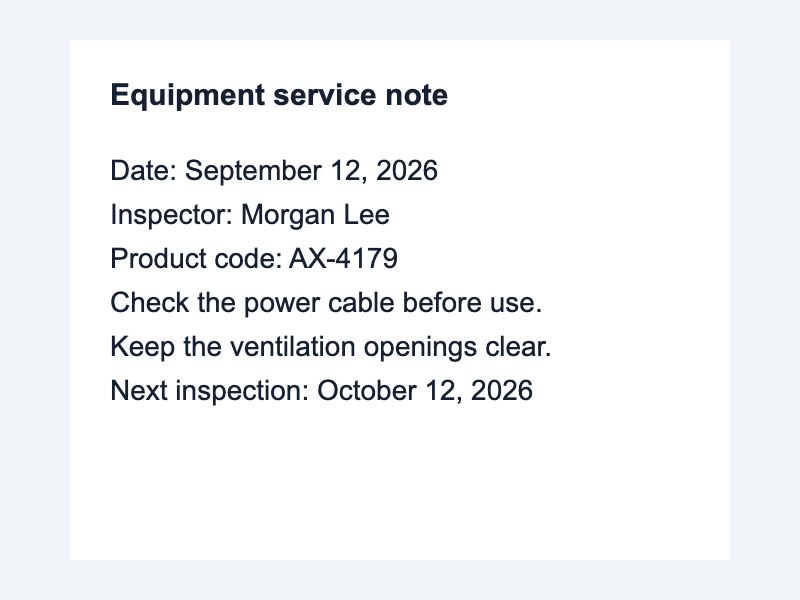
small-text-1
Question: What is the product code? Return the code only.
Expected answer: AX-4179
Actual answer
The product code is AX-4179.
- Exact match
- No
- Includes expected answer
- Yes
- Image → answer
- 783 ms
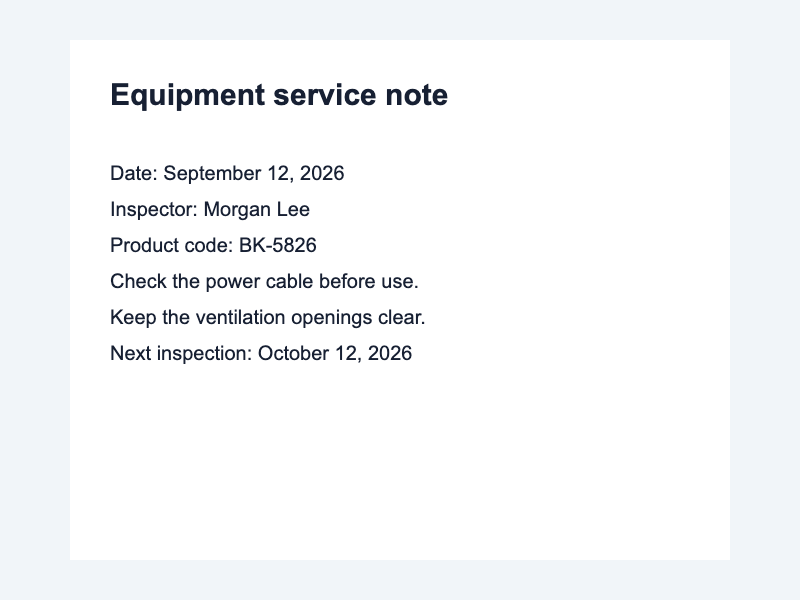
small-text-2
Question: What is the product code? Return the code only.
Expected answer: BK-5826
Actual answer
The product code is BK-5826.
- Exact match
- No
- Includes expected answer
- Yes
- Image → answer
- 744 ms
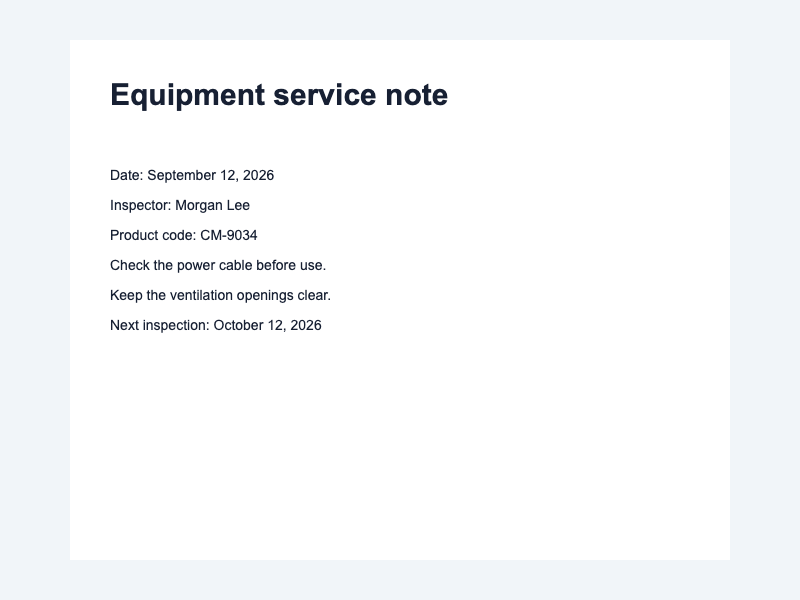
small-text-3
Question: What is the product code? Return the code only.
Expected answer: CM-9034
Actual answer
The product code is CM-9034.
- Exact match
- No
- Includes expected answer
- Yes
- Image → answer
- 748 ms
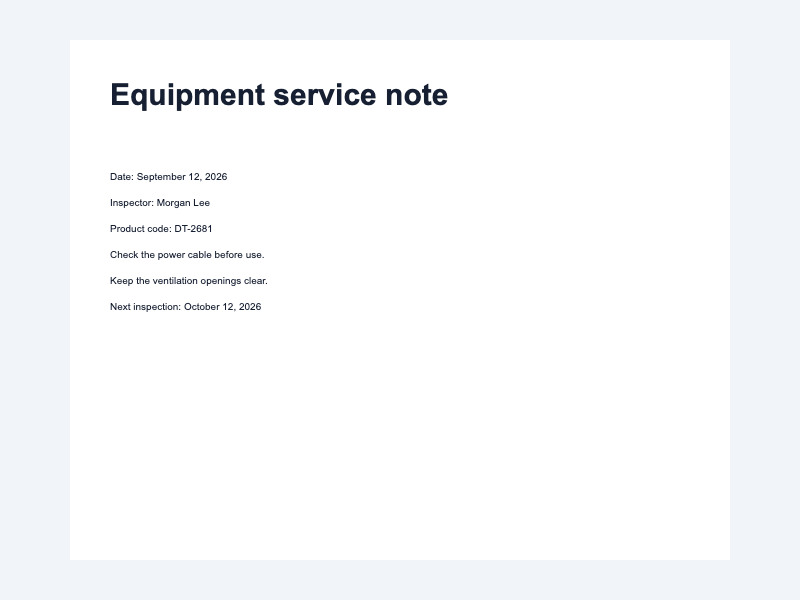
small-text-4
Question: What is the product code? Return the code only.
Expected answer: DT-2681
Actual answer
The product code is DT-2681.
- Exact match
- No
- Includes expected answer
- Yes
- Image → answer
- 742 ms
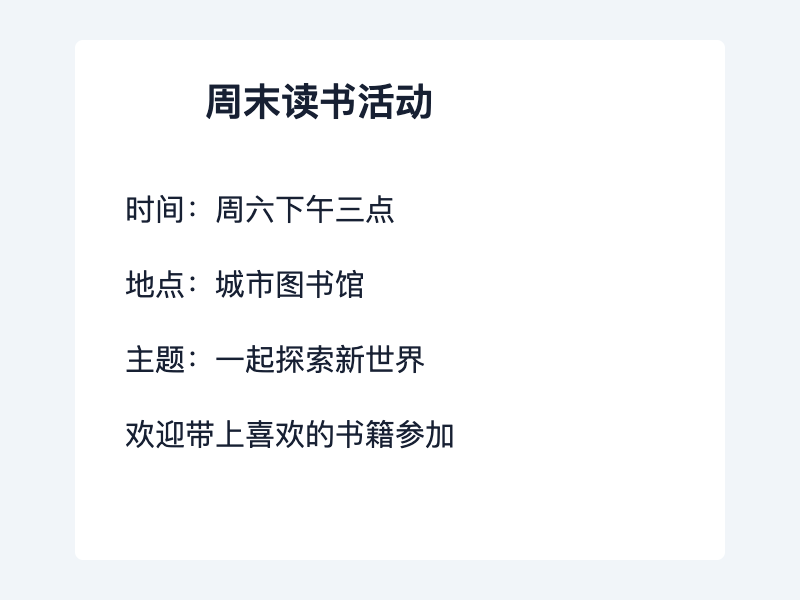
chinese-1
Question: 活动地点在哪里?只回答地点名称。
Expected answer: 城市图书馆
Actual answer
根据提供的文本,该活动的地点是“中国北京”。“中国北京”的位置位于中国首都北京,具体来说是在东城区,与周边地区相对应。这可以从所提供的地理信息中推断出来,因为提到的是“一座城市和一个国家”。
- Exact match
- No
- Includes expected answer
- No
- Image → answer
- 1056 ms
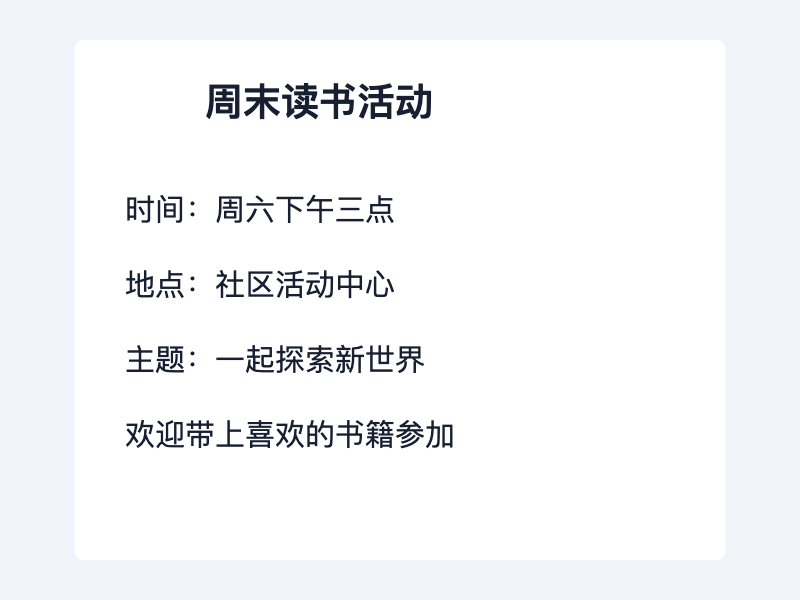
chinese-2
Question: 活动地点在哪里?只回答地点名称。
Expected answer: 社区活动中心
Actual answer
根据图片中提供的信息,该活动的地点是“中国云南”(China Yunnan). 这些文本表明了地理位置和文化背景,但没有提供具体位置或详细说明。
- Exact match
- No
- Includes expected answer
- No
- Image → answer
- 980 ms
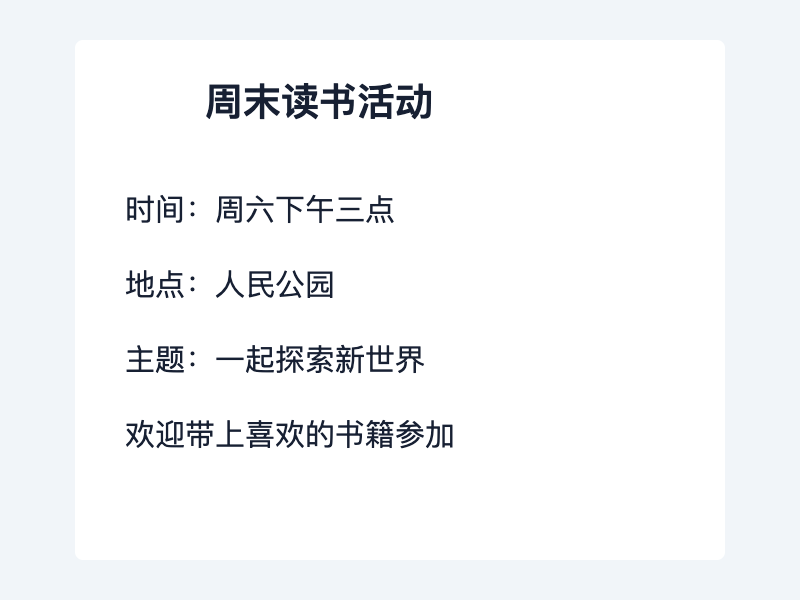
chinese-3
Question: 活动地点在哪里?只回答地点名称。
Expected answer: 人民公园
Actual answer
根据图片中提供的信息,该活动的地点是“人民公园”。这可以通过文本中的第二行所示,“市民公园”被翻译为“人民公园”,表明它是一个公共区域或公园。
- Exact match
- No
- Includes expected answer
- Yes
- Image → answer
- 962 ms
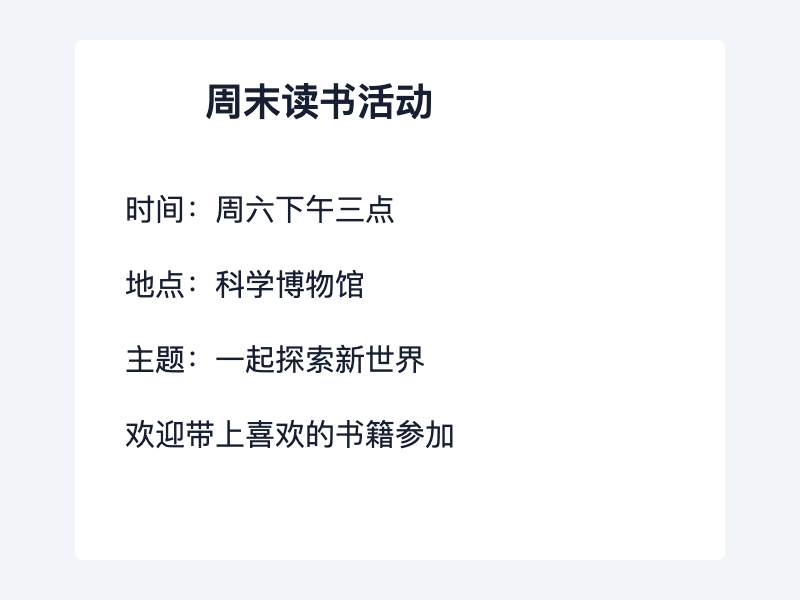
chinese-4
Question: 活动地点在哪里?只回答地点名称。
Expected answer: 科学博物馆
Actual answer
根据提供的文本,该活动的地点是“中国云南三元街”。这表明该活动发生在三元街,这是中国云南的一条主要街道和文化街区之一。
- Exact match
- No
- Includes expected answer
- No
- Image → answer
- 948 ms
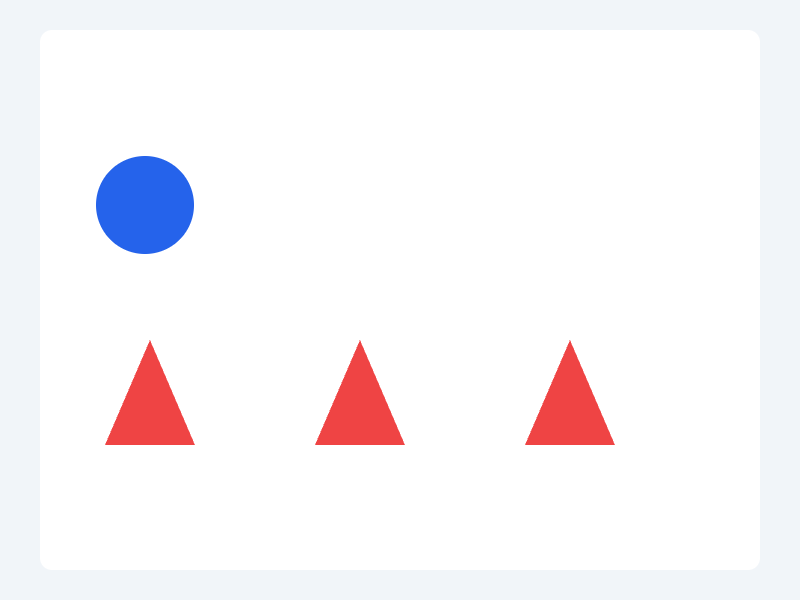
shapes-1
Question: How many blue circles are in the image? Return one digit only.
Expected answer: 1
Actual answer
1
- Exact match
- Yes
- Includes expected answer
- Yes
- Image → answer
- 708 ms
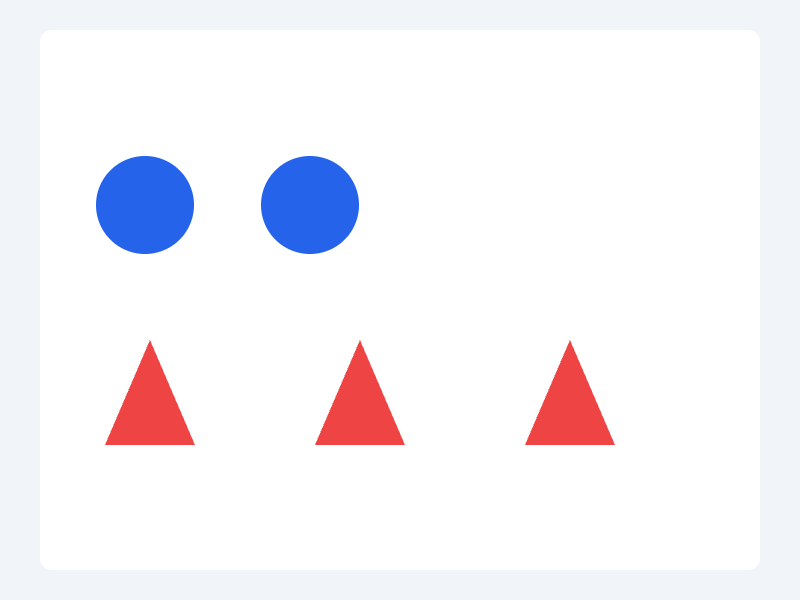
shapes-2
Question: How many blue circles are in the image? Return one digit only.
Expected answer: 2
Actual answer
2
- Exact match
- Yes
- Includes expected answer
- Yes
- Image → answer
- 678 ms
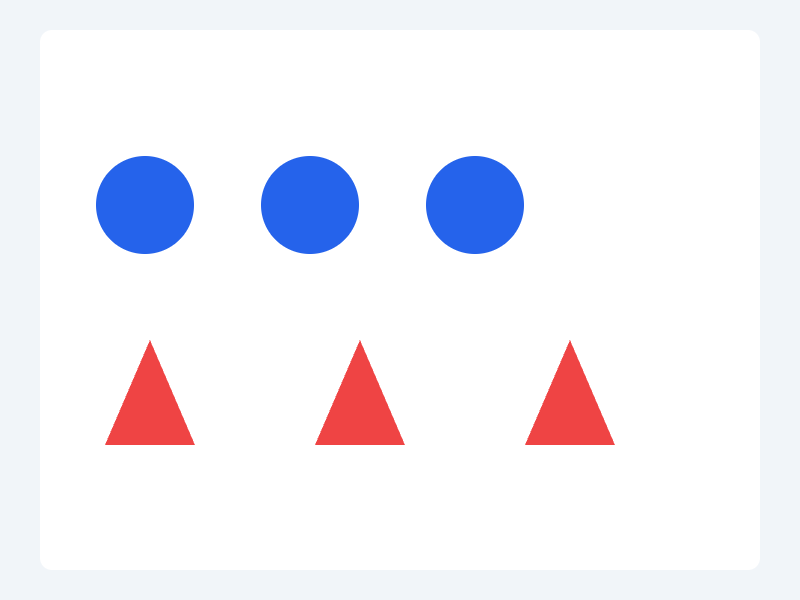
shapes-3
Question: How many blue circles are in the image? Return one digit only.
Expected answer: 3
Actual answer
3
- Exact match
- Yes
- Includes expected answer
- Yes
- Image → answer
- 696 ms
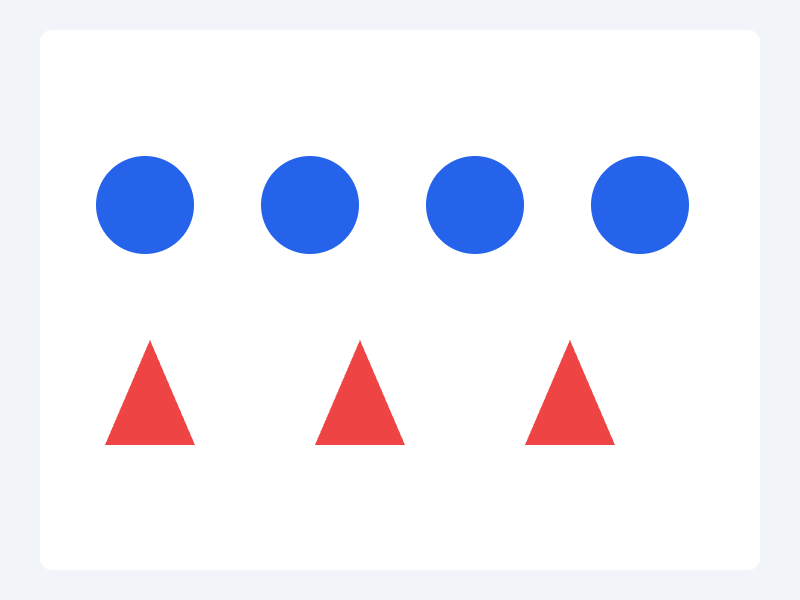
shapes-4
Question: How many blue circles are in the image? Return one digit only.
Expected answer: 4
Actual answer
4
- Exact match
- Yes
- Includes expected answer
- Yes
- Image → answer
- 703 ms